

These are instructions on how to remove or uninstall Unisoc SPD Driver on Windows Computer (you can use this method on the computer running on Windows 7, 8, 8.1, 10 and Windows 11).
Uninstall Unisoc SPD Driver from Windows Computer
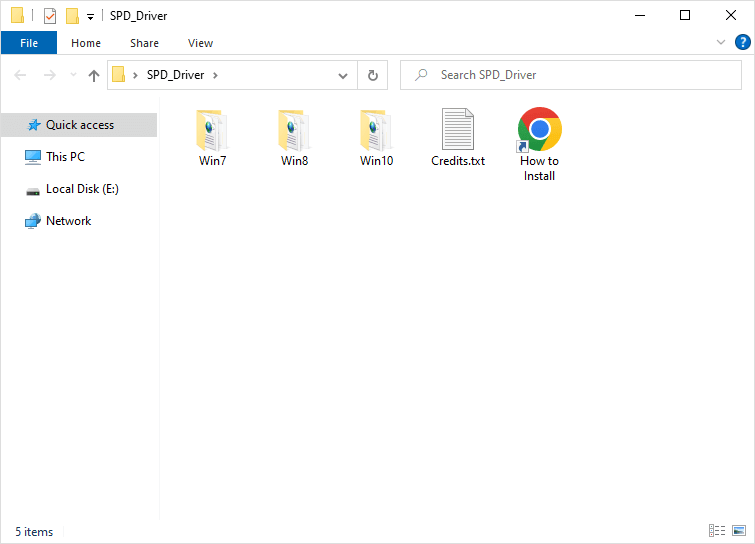
- Download and extract the Unisoc SPD USB Driver on the computer. If you have already downloaded and extracted the Driver, then SKIP this step.
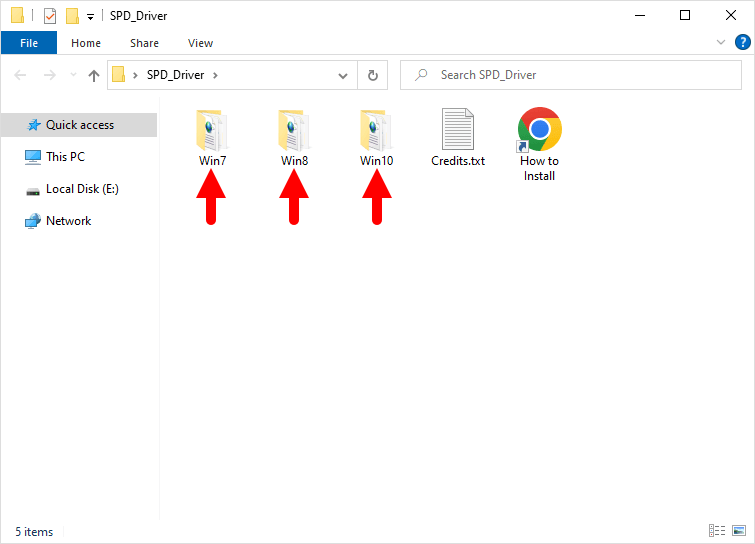
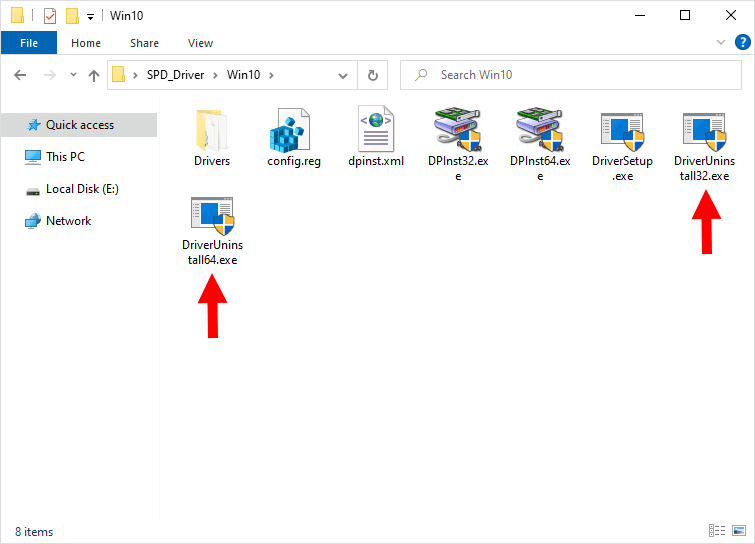
- Open the Driver folder as per your Computer OS variant. For Example, If you are running on Windows 10 or 11, then Choose the Win10 Folder.
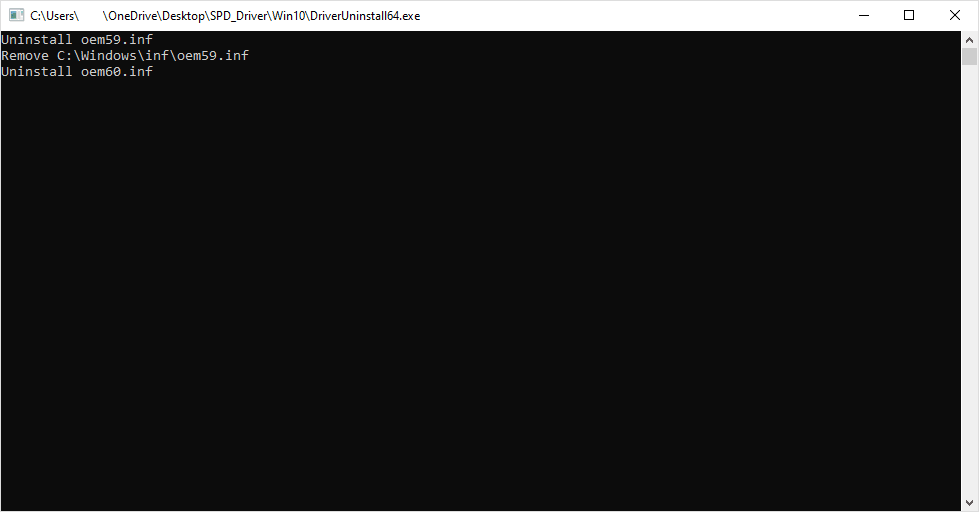
- Double-Click on the DriverUninstall32.exe or DriverUninstall64.exe file to remove the UniSoc SPD Drivers from the computer.
- The Uninstallation process will take a few seconds to complete.
Congratulations! Now restart the computer. Once the computer is restarted, all the associated registry entries will be removed or deleted from the computer.
Readme Once:
[*] Xiaomi Driver: If you are looking for the Xiaomi Driver for any Specific model, then head over to our Xiaomi Driver page.
[*] Poco Driver: If you are looking for the Poco Driver for any Specific model, then head over to our Poco Driver page.
[*] Xiaomi Firmware: If you are looking for the official Xiaomi Stock Firmware, then head over to the Xiaomi Firmware page.
[*] Install Unisoc SPD Driver: If you want to learn to install the Unisoc SPD driver, then head over to How to Install Unisoc SPD Driver page.
